DarkFlow: from spreadsheet chaos to a production pipeline
A custom web app for a wedding film studio in Mauritius. It follows every film from event day to delivery: who edits what, where the footage lives, how long it takes, and what is late.
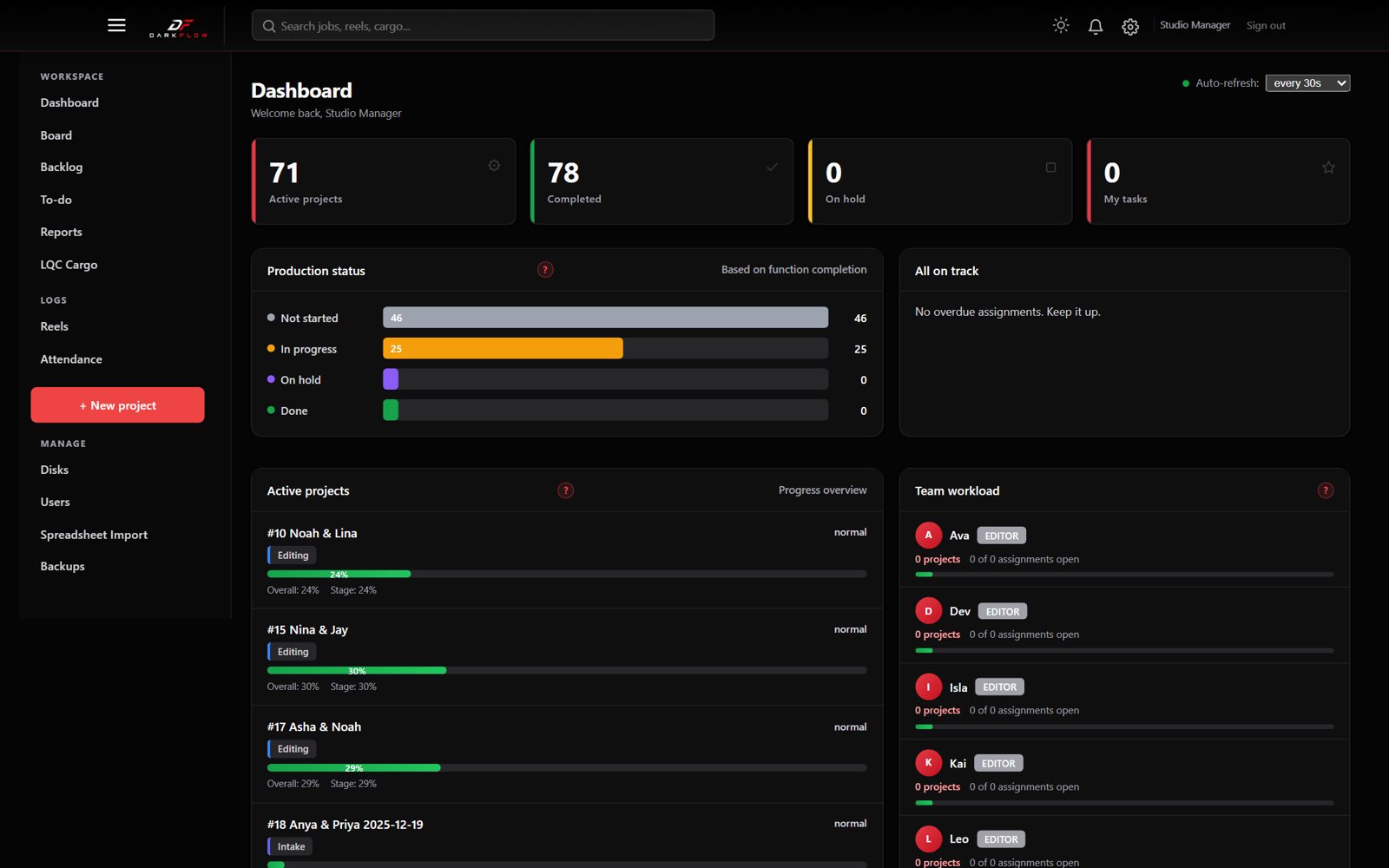
Screenshots use demo data with made-up names.
One huge Excel file ran the studio
Projects, editors and hard drives all lived in one tracker sheet. Nobody could see at a glance who was editing what, which event day was done, or where the footage was.
- Who is on it?
- Editors, days and chains lived in free-text cells. Managers had to ask around.
- What is done?
- A wedding has several event days, each with its own list of edits. Progress was guesswork.
- Where is the footage?
- Drives had old names, new names and nicknames. Finding a finished file took time.
Every film, every day, every edit
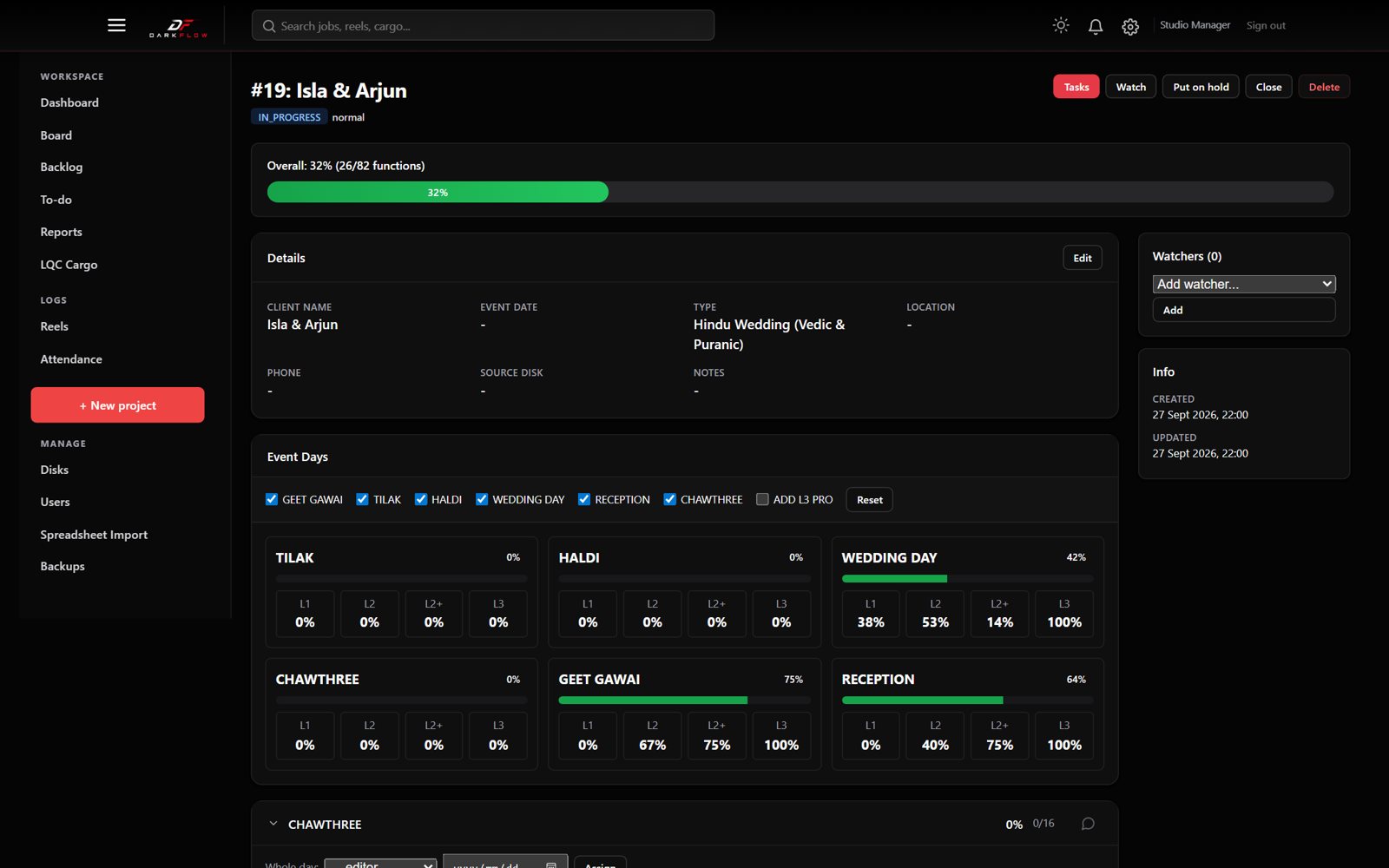
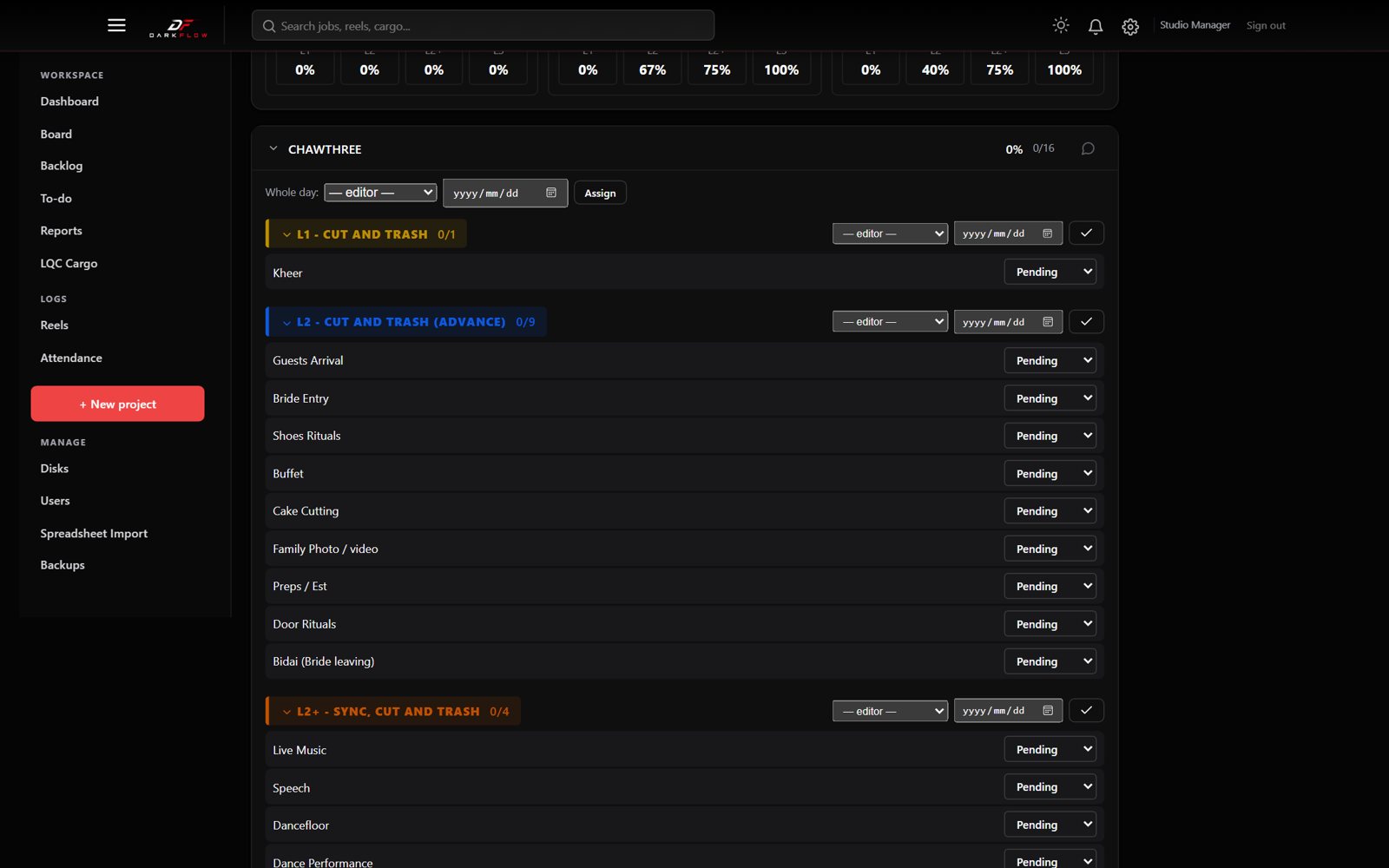
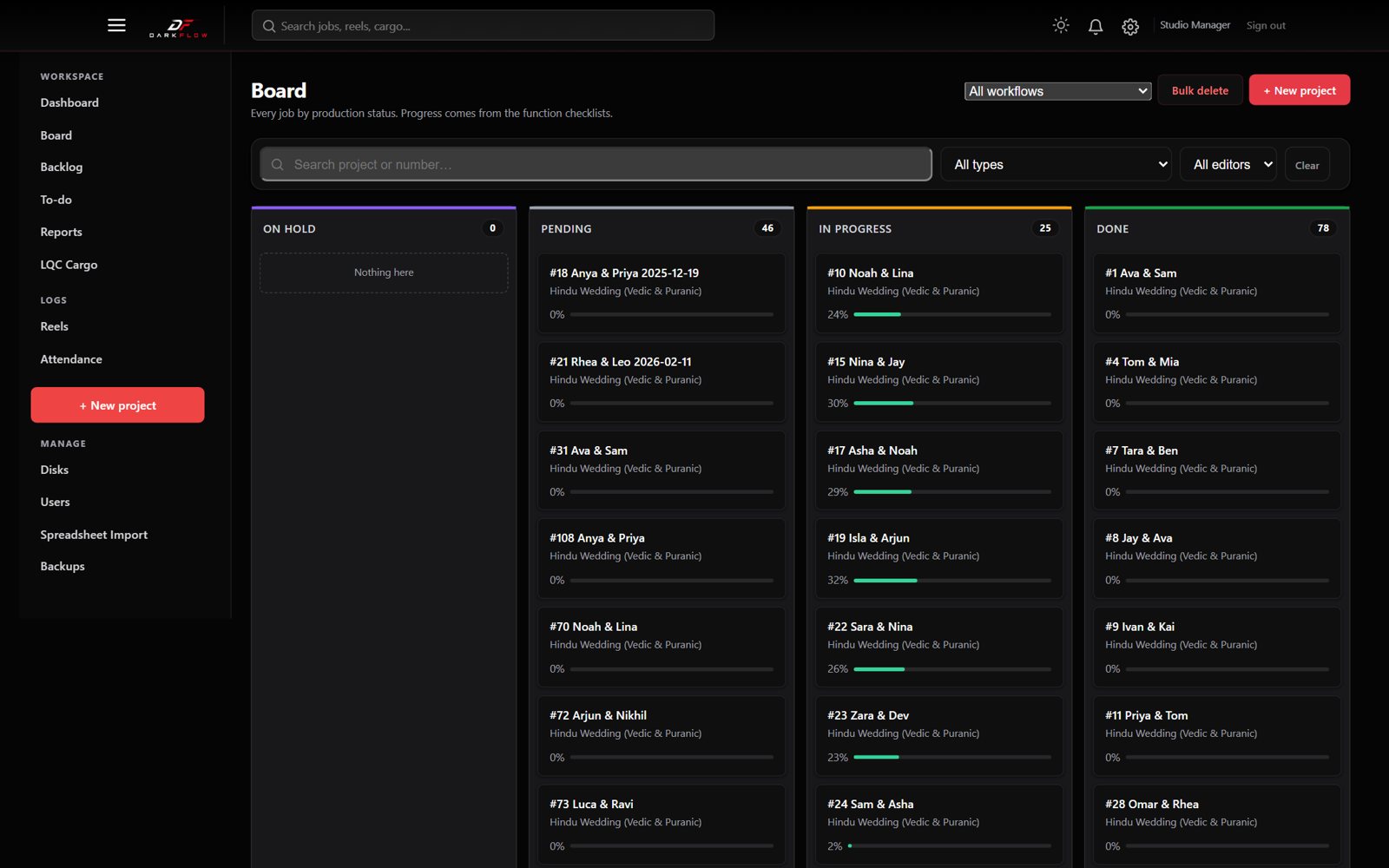
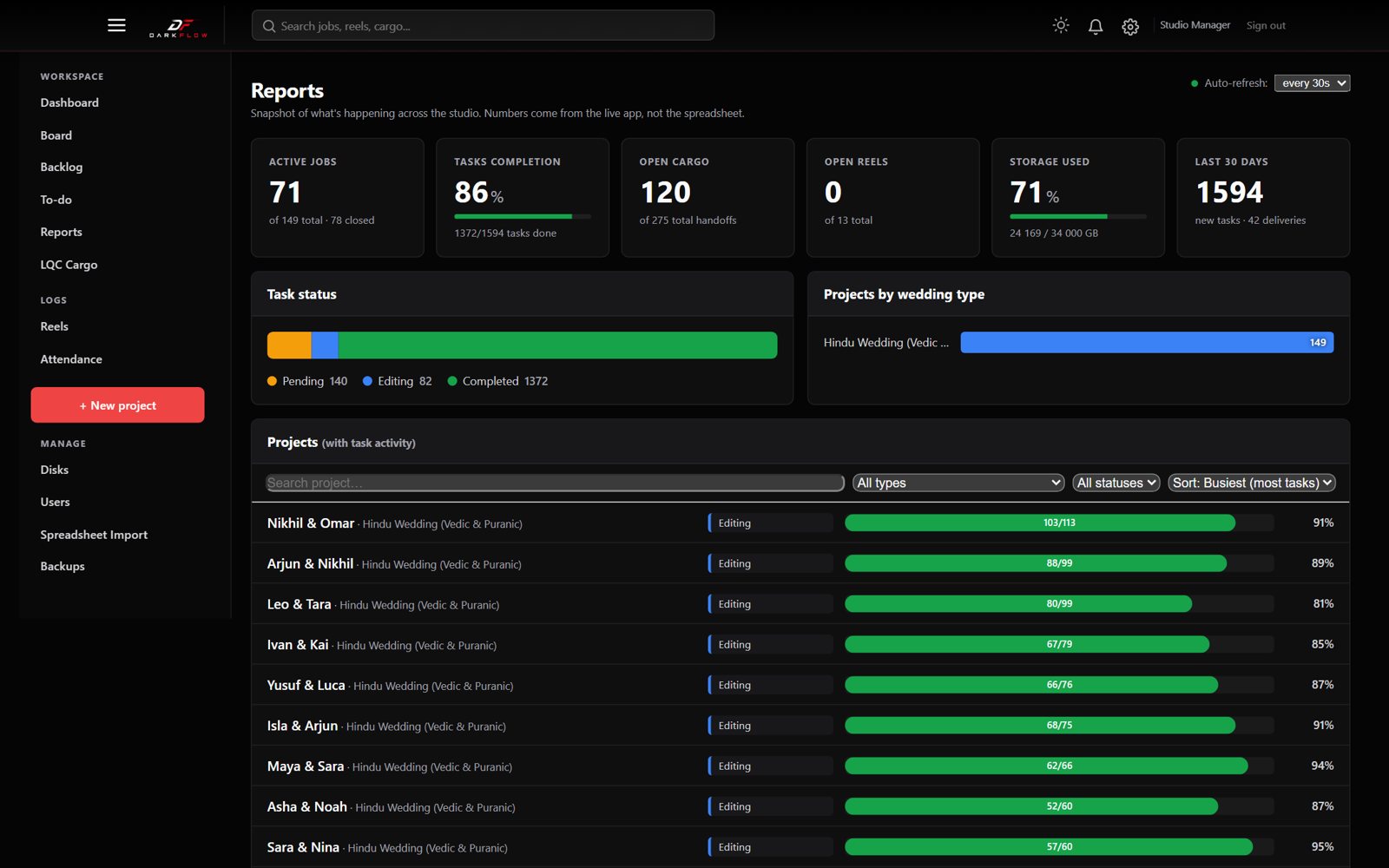
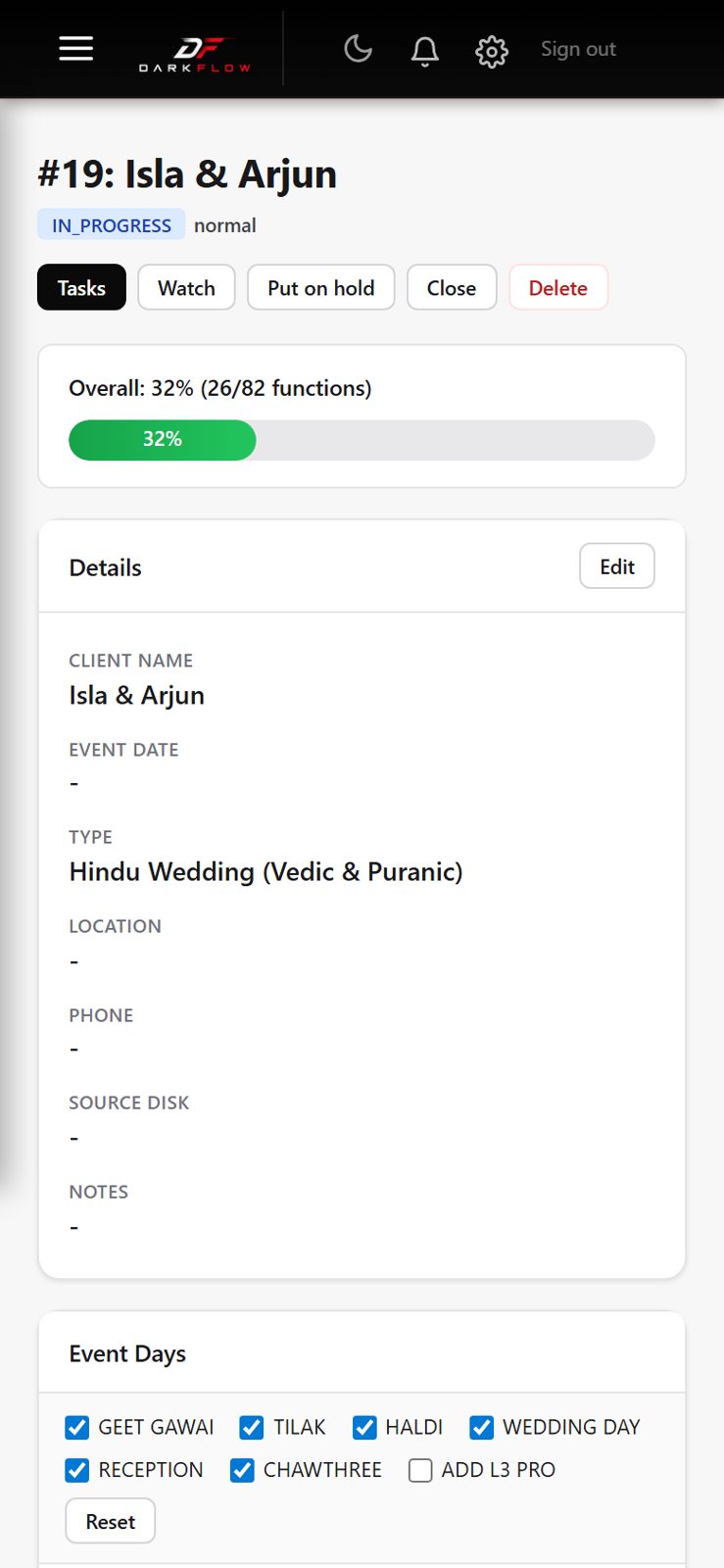
A project page for each wedding, with day cards, editing chains and a tick for every function, signed by the editor with a date.
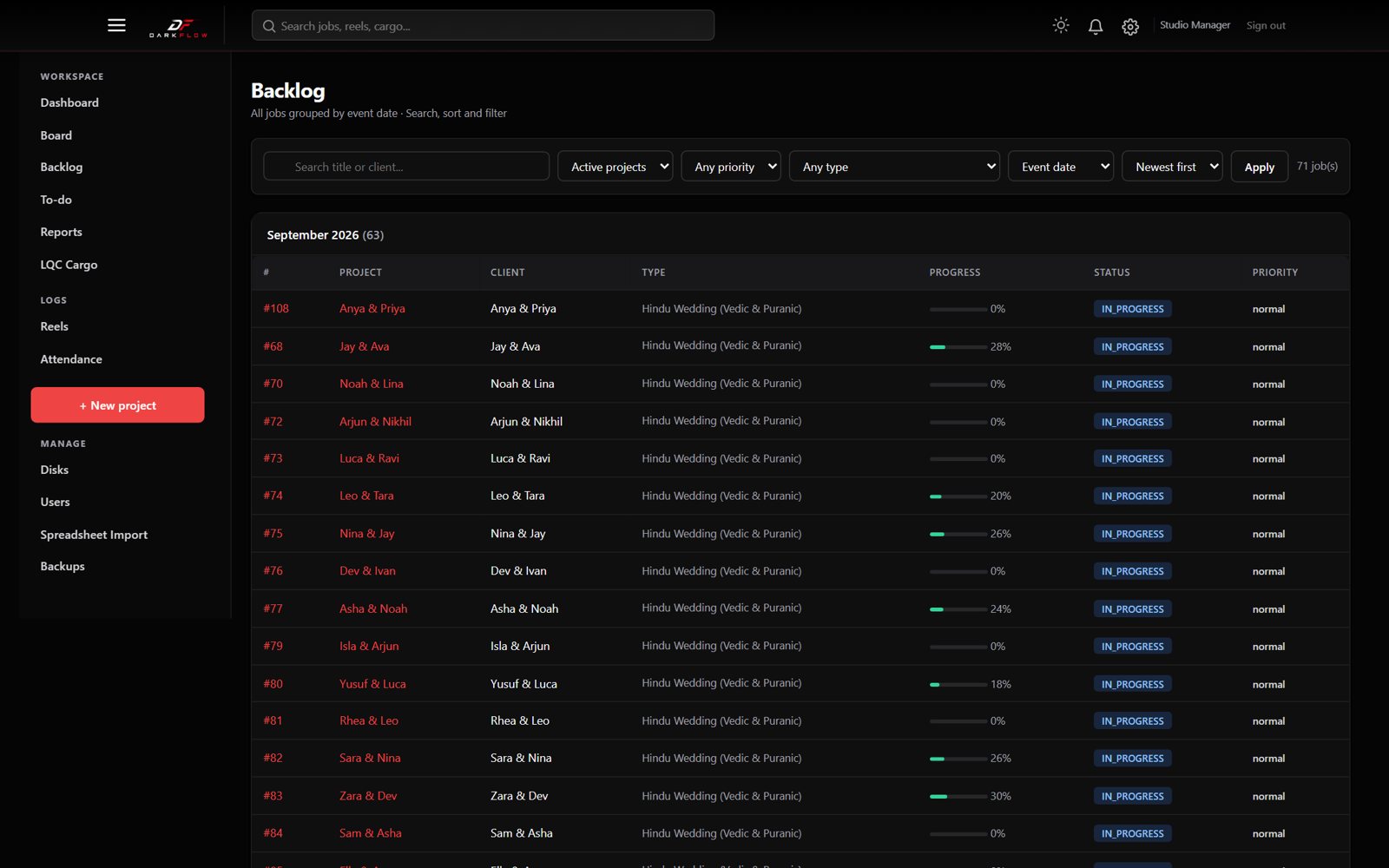
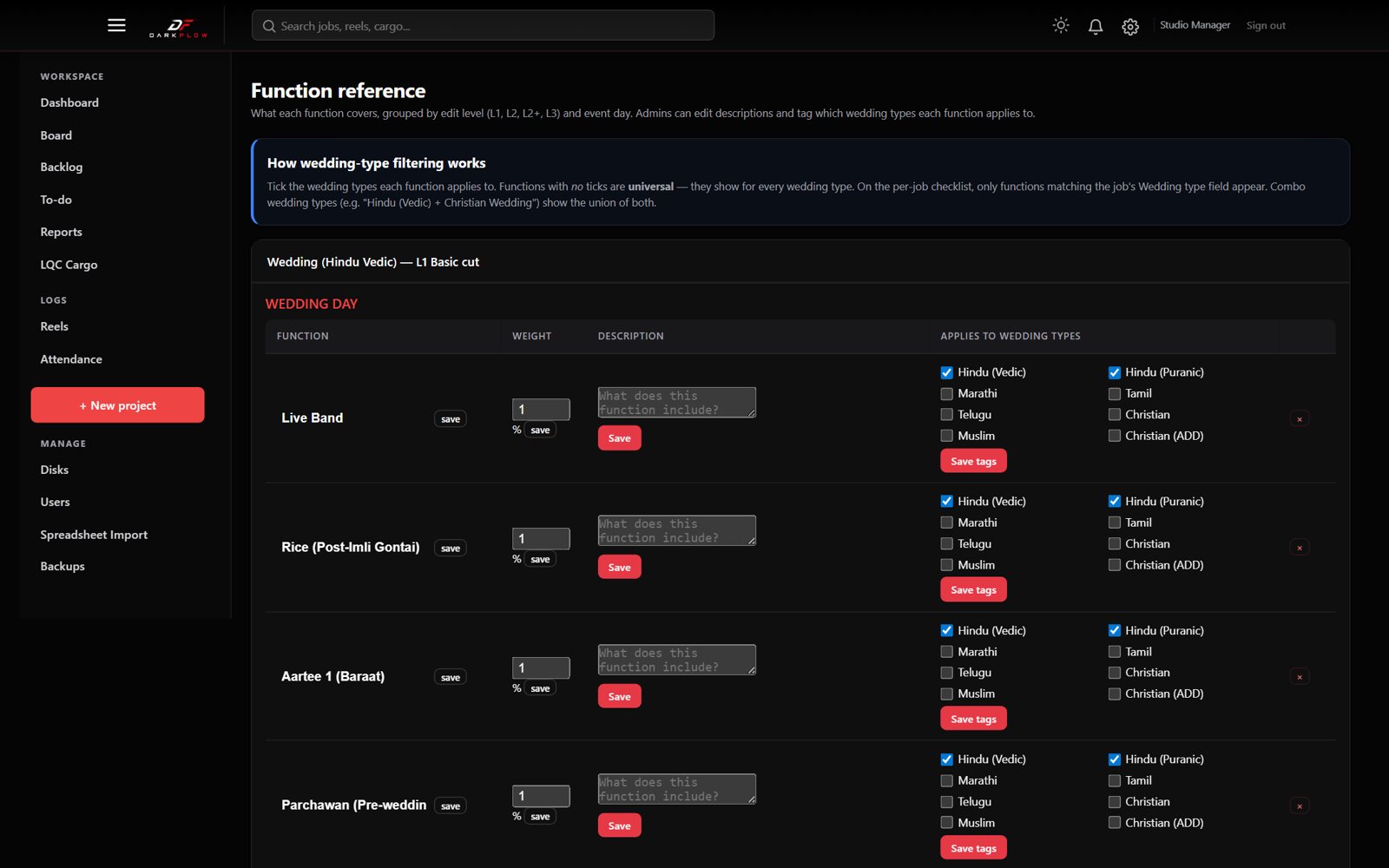
- Checklists per tradition
- Each project shows only its own event days and ceremonies, from L1 to L3.
- Editing time targets
- Set expected minutes per function, level and day. Work that runs over is flagged amber or red.
- Search everything
- Global search for projects, reels, cargo, disks and people. Press / on any page to jump to it.
- Roles
- Admin, manager and editor. Editors change only the projects given to them.
- Alerts
- A bell inbox and email alerts when a project moves or a deadline slips.
- Light, dark, mobile
- Light and dark themes, a phone drawer menu and a searchable help guide.
Works on set, not just at the desk
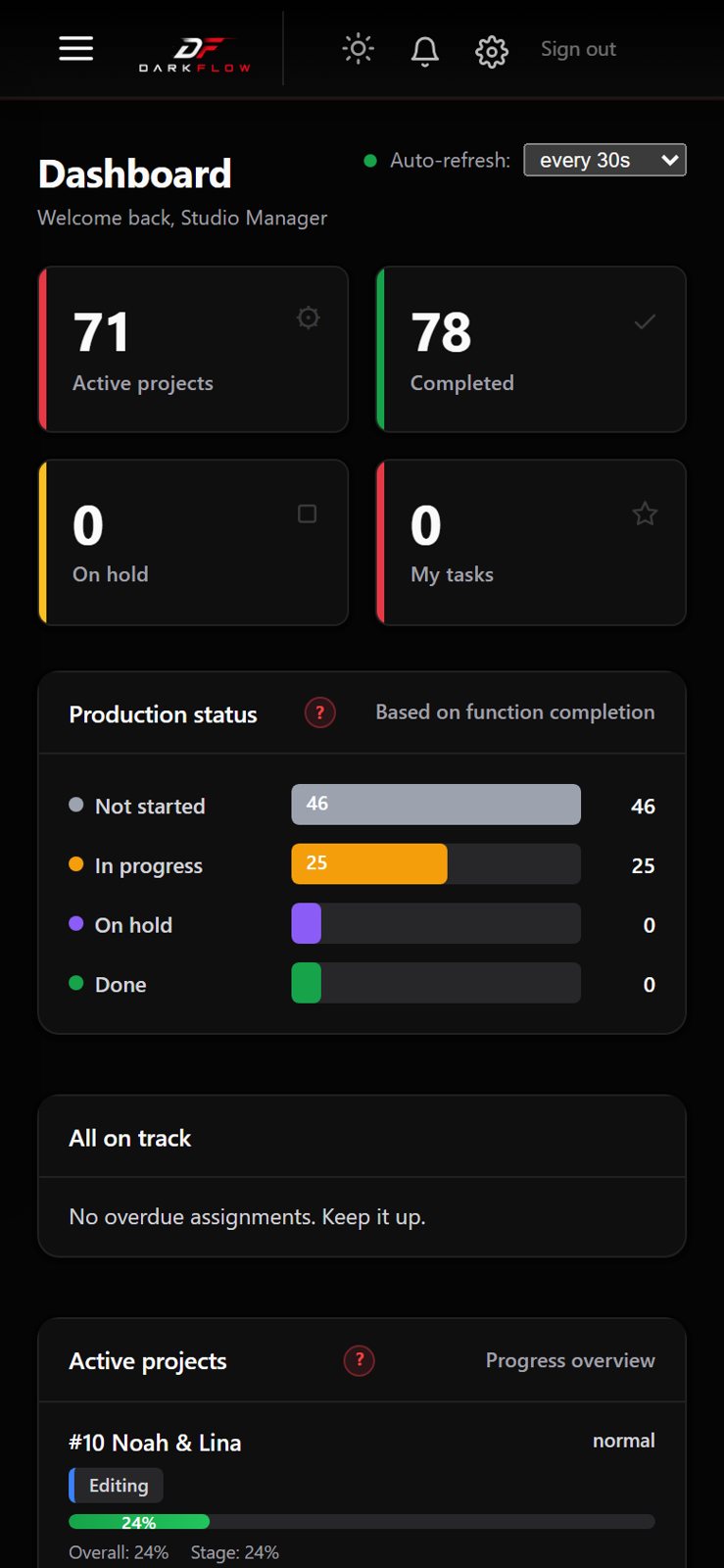
The whole app fits a phone: the sidebar becomes a drawer, cards stack, and editors can tick functions from anywhere.
Nothing in the spreadsheet was lost
A staged import from the studio's own Excel tracker, with editor credit and original work dates kept.
- Editors. The team comes in first, so every row can be credited to the right person.
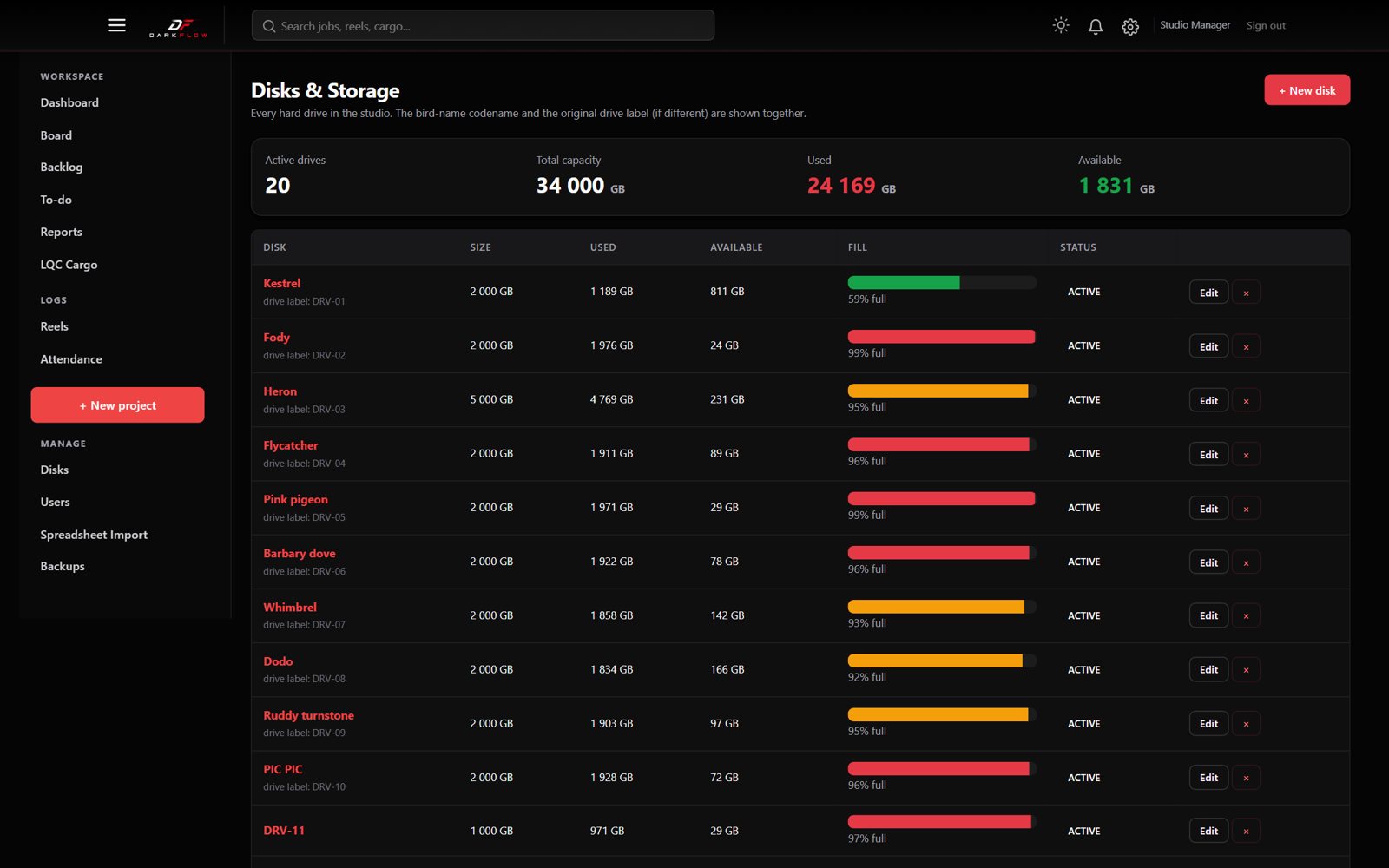
- Disks. Every drive, with its old label and new codename.
- Projects. Each wedding matched to the right workflow with a confidence score.
- Checklist status. Done, pending and N/A for each function, with the editor and the original date.
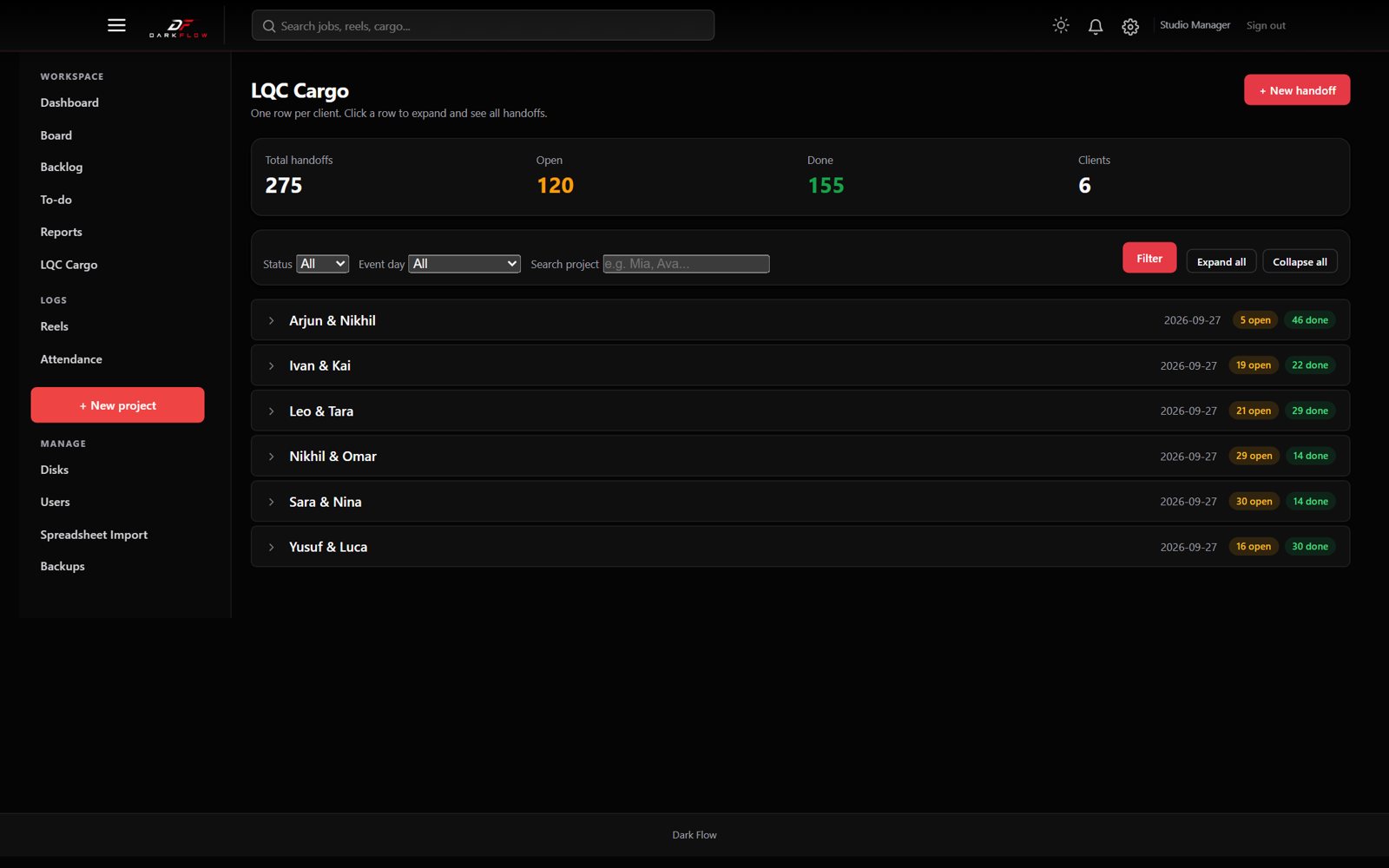
- Reels and cargo. Reels update instead of doubling. Handoffs map to day, chain and function.
Scan, check, then import
- Upload a workbook or paste cells; the app scans every sheet
- Colour-coded matches and an adjustable column map
- Quick Import by minimum match confidence
- A backup is made before anything is written
Simple, fast, owned by the client
Runs on one small Linux server, and the studio owns the system.
Need a custom workflow tool for your business?
If your team runs on a spreadsheet that is getting out of hand, we can turn it into an app like this.